A shared family calendar and chores app, with both on the same screen
One app for the family calendar and the kids' chores: rotating chores, approvals, points and allowance next to everyone's week. Compared with Cozi and others.
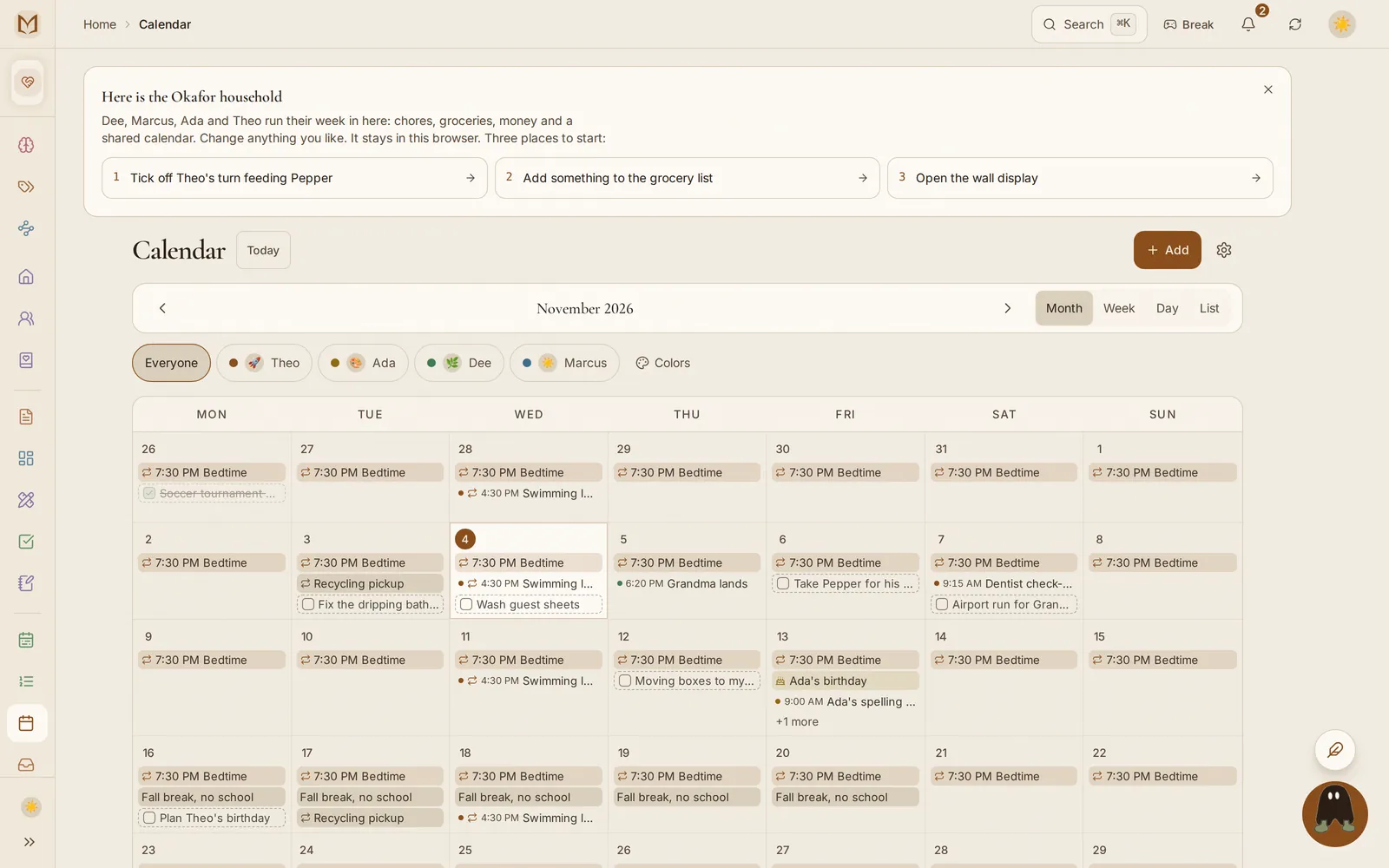
The Margin is a shared family calendar and chores app in one: everyone's events and each kid's chores sit in the same week, on every phone and on a wall screen in the kitchen. The calendar is on every plan. On the Family plan, chores repeat, rotate between kids, can wait for a parent's yes, and add up to points or allowance on their own.
I make The Margin, and I built it for my own household. This page shows how the calendar and the chores fit together, then compares the apps families usually weigh against each other, from their own pages, read on November 12, 2026.
The calendar#
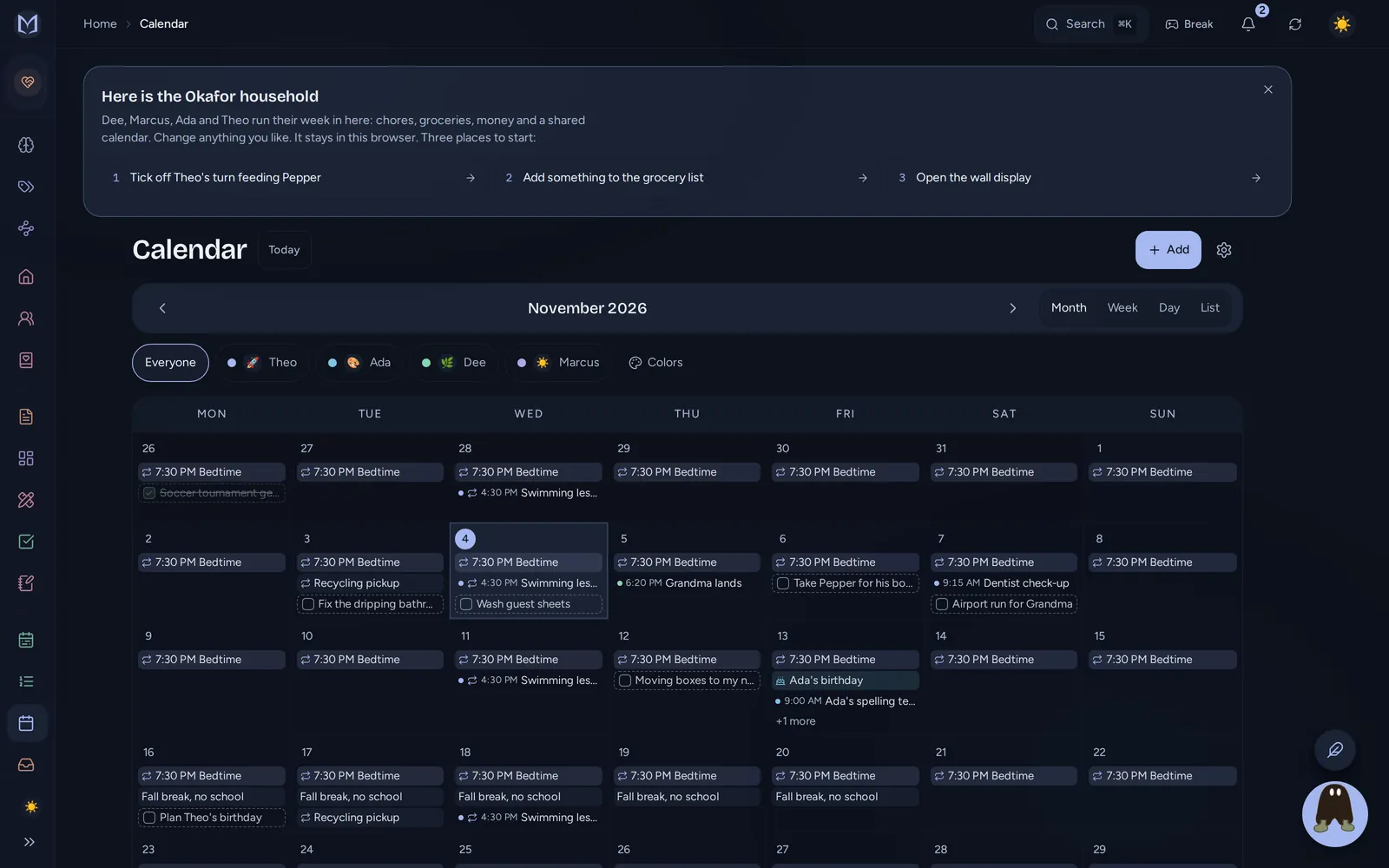
- A color per person, so the week reads at a glance from across the room.
- Repeats, reminders and birthdays, with a reminder a week and a day before a birthday.
- Other calendars in: subscribe to a school's or club's published calendar on every plan, and forward a school email to the family's private address so its dates wait for someone to confirm (Family plan).
- The family calendar out: show it in Apple Calendar, Outlook or any calendar app through a private, read-only link.
More in planner, Today and calendar and integrations.
The chores#
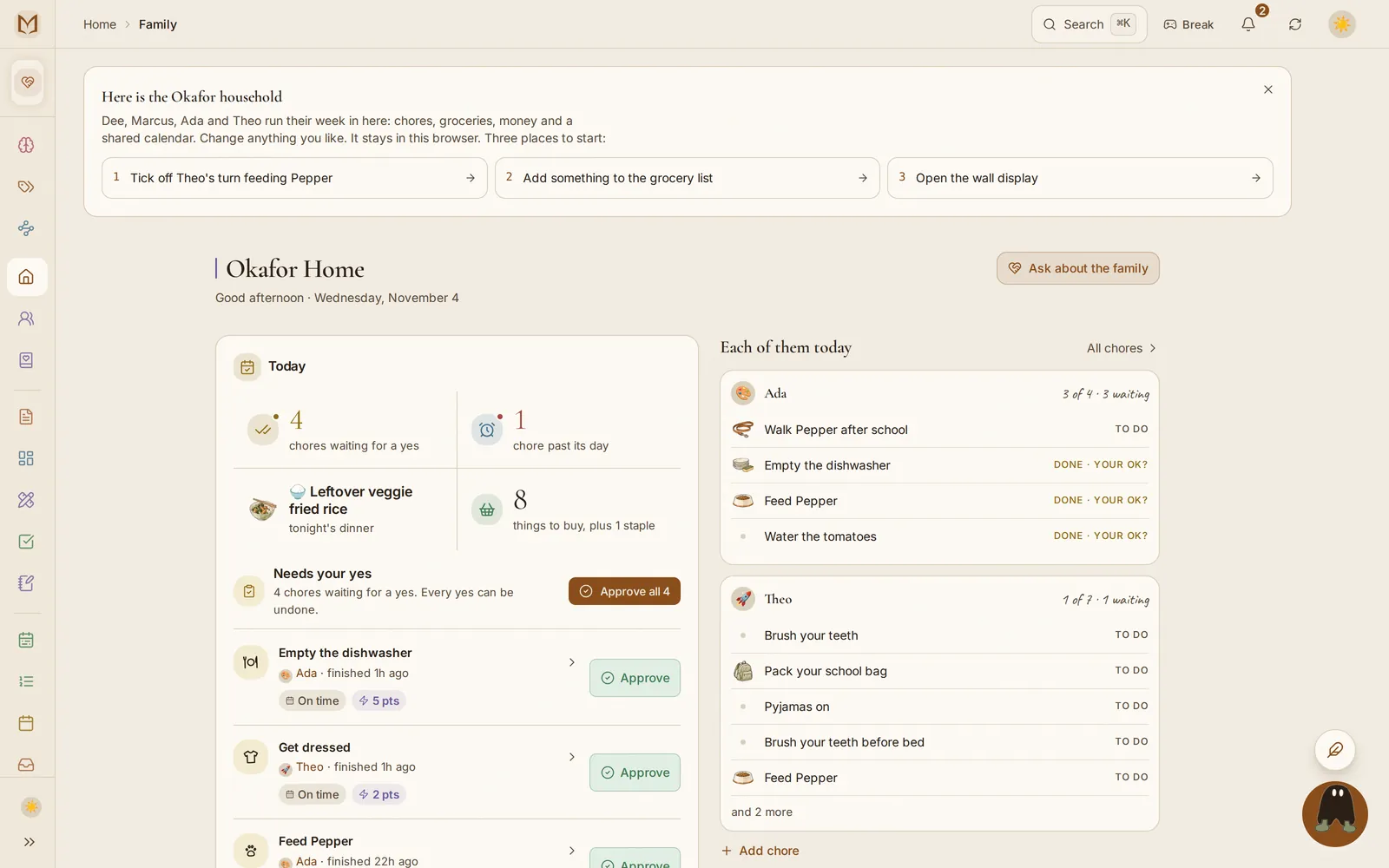
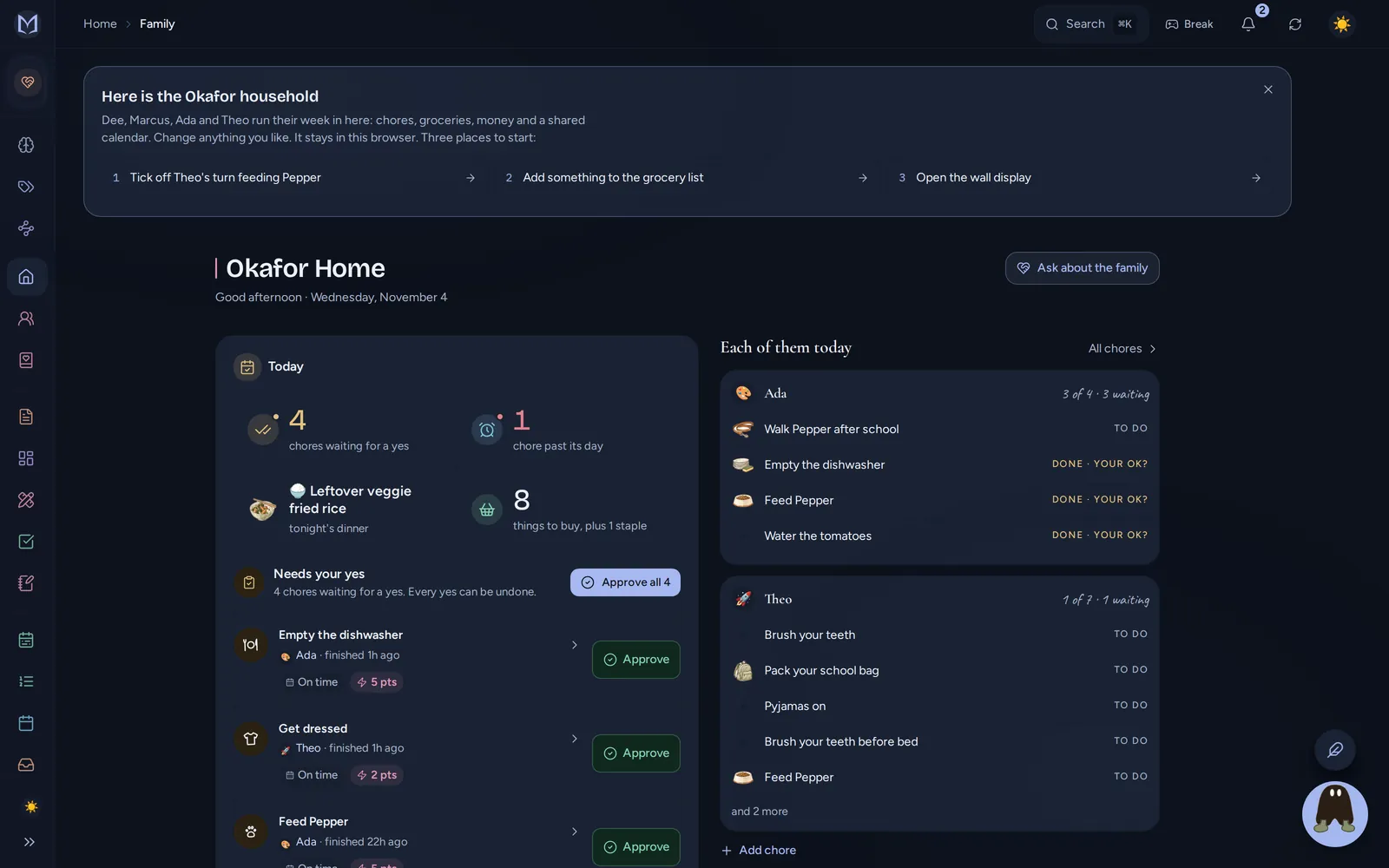
On the Family plan, a chore is assigned to a person, has a day and a little drawing (a broom, a paw, a plate), and can:
- repeat and rotate between several people, so the trash moves down the list fairly, and each card says whose turn it is and who's next;
- wait for approval, so it shows as done only after a grown-up says yes;
- earn points or allowance, which pay themselves on payday and spend on a rewards shelf you fill (allowance and chore points);
- be ticked from the wall by a child, with no account or email, using their face and a PIN.
How it all works, including two people sharing one chore and what happens when a week goes badly, is in family.
Calendar and chores apps compared#
| App | Shared calendar | Chores | Points, rewards or allowance | Free plan | Paid price | Offline |
|---|---|---|---|---|---|---|
| The Margin | Every plan | Family plan: repeat, rotate, approve | Points, rewards and allowance (Family) | Yes, no ads | Family $25 a month ($20 paid yearly) | Yes |
| Cozi | Yes | Cozi Chores, on the free plan | Not listed | Yes, with ads; events more than 30 days ahead need Gold | Gold $39 a year | Lists, and calendar days already opened |
| FamilyWall | Yes | Chore checklists | Not listed | Yes, with ads | Premium $44.99 a year | Lists |
| Skylight | Yes, on its device and app | Tasks free; stars and rewards on Plus | Rewards (Plus) | The device's basics | Plus $79 a year, plus the device | No |
| Sense | Yes | Chores and routines on Premium | Rewards on Premium | Yes | Premium $59.99 a year | Not stated |
Every row comes from that app's own page, linked, read on November 12, 2026. Cozi's 30-day limit on the free plan is from its own App Store listing, and FamilyWall's chore checklists and offline lists from its App Store listing. "Not listed" or "not stated" means its pages did not say.
Where another app is the better pick#
- Cozi if you need a calendar and a simple chore list, and nothing else. It is cheaper, and its chores are on the free plan. My comparison is on the Cozi alternative page.
- Skylight if you want a dedicated screen that arrives ready and you don't mind paying for the device. See the Skylight alternative page.
- A paper chart if your kids are small and the fridge works. I mean it: the free chore chart by age is a good place to start, and plenty of families never need more.
The part that makes it stick#
A chore list works when the kids can see it without asking. The wall display turns a spare tablet into the family's screen: today, each person's lane of chores, dinner and the list, and a child taps a chore to tick it (the wall display). It keeps working when the WiFi drops, and ticks sync when it's back.
If you're not sure what a seven-year-old can actually do, the chore list by age and the allowance calculator are free and need no account.
Questions
What is the best app for a shared family calendar and chores?
One where a chore is part of the same week as the soccer practice and the dentist, so nobody checks two apps. The Margin has a shared family calendar with a color per person and, on the Family plan, chores that repeat, rotate between kids, wait for a parent's yes and add points or allowance.
Is there a free family calendar and chore app?
Yes. The Margin's free plan has the calendar, the shopping list, recipes and money with no time limit, for you and one other person. Chores, points and allowance for the whole household are on the Family plan. Cozi's free plan also lists a calendar and Cozi Chores, with ads.
How do I get my kids to do chores without nagging?
Make the chore visible where they already look, make it theirs by name, and make finishing it count for something. A wall screen in the kitchen showing each child's chores for today, a tap to mark it done, and points or allowance that add up on their own do most of the reminding.
Can chores rotate between kids automatically?
In The Margin, yes. A repeating chore can rotate between several people, so the trash moves down the list fairly, and each card says whose turn it is and who is next.
Can I approve my kids' chores before they get points?
Yes. On the Family plan a chore can need a grown-up's OK. The child marks it done, it waits under Needs approval, and the points or allowance land when a parent approves it, from their phone or the wall.
Can a young child use a family chore app without an email?
In The Margin, yes. A child can be a profile with a face and a PIN of four to six digits, with no email or account, so a five-year-old can tick off a chore on the wall or a shared tablet.
Does the family calendar sync with Google Calendar or Apple Calendar?
The Margin's family calendar can be shown in Apple Calendar, Outlook or any calendar app through a private link, and it can subscribe to a school's or club's published calendar on every plan. Two-way Google Calendar sync for card due dates is on Pro and up.