Boards, notes, money, meals, chores and a family chat in one app. It opens on what's due today and what has slipped, works with no signal, and has a built-in AI that answers from what you put in.Boards, notes, money, meals, chores and a family chat, kept together. It opens on a page that shows what's due today and what has slipped, it works with no signal, and your own AI can read and write to it on a paid plan.
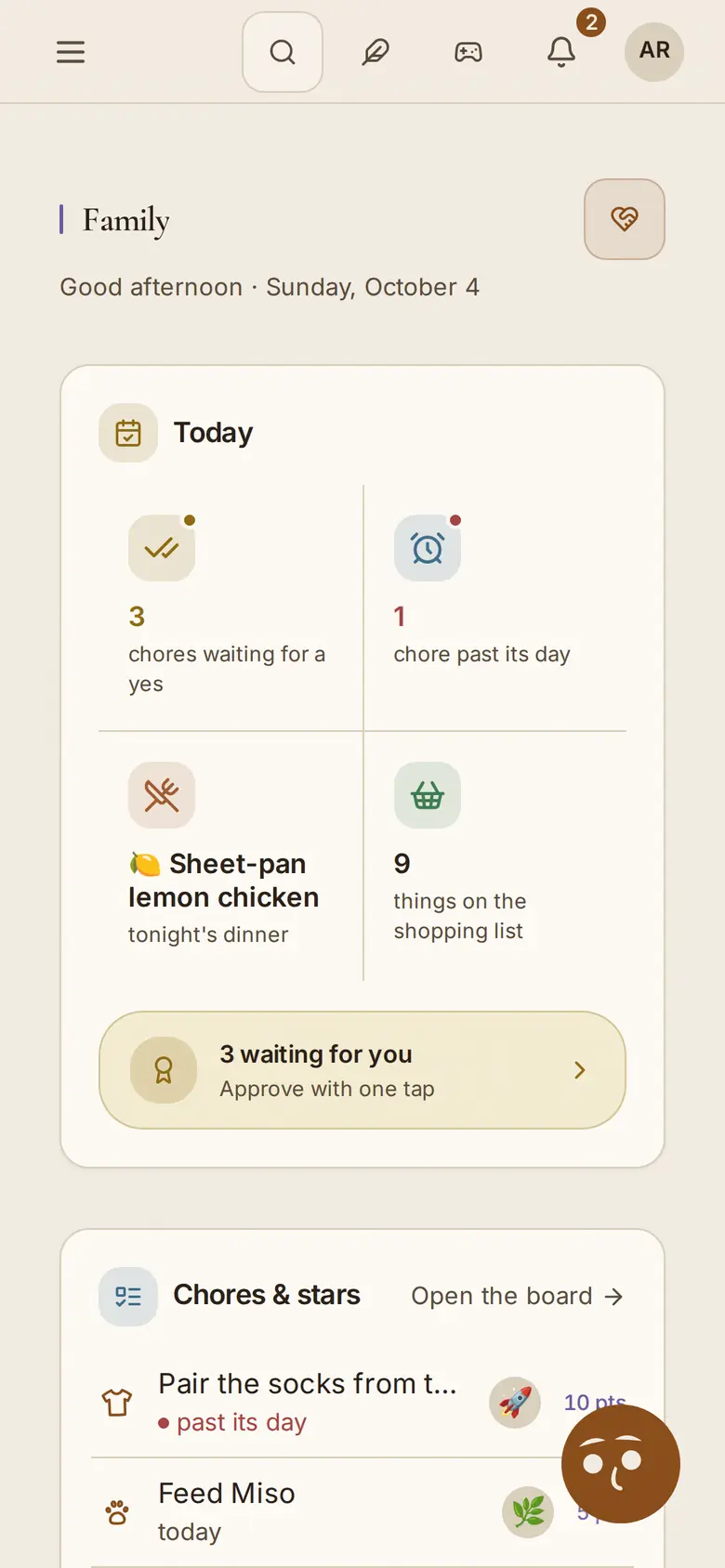
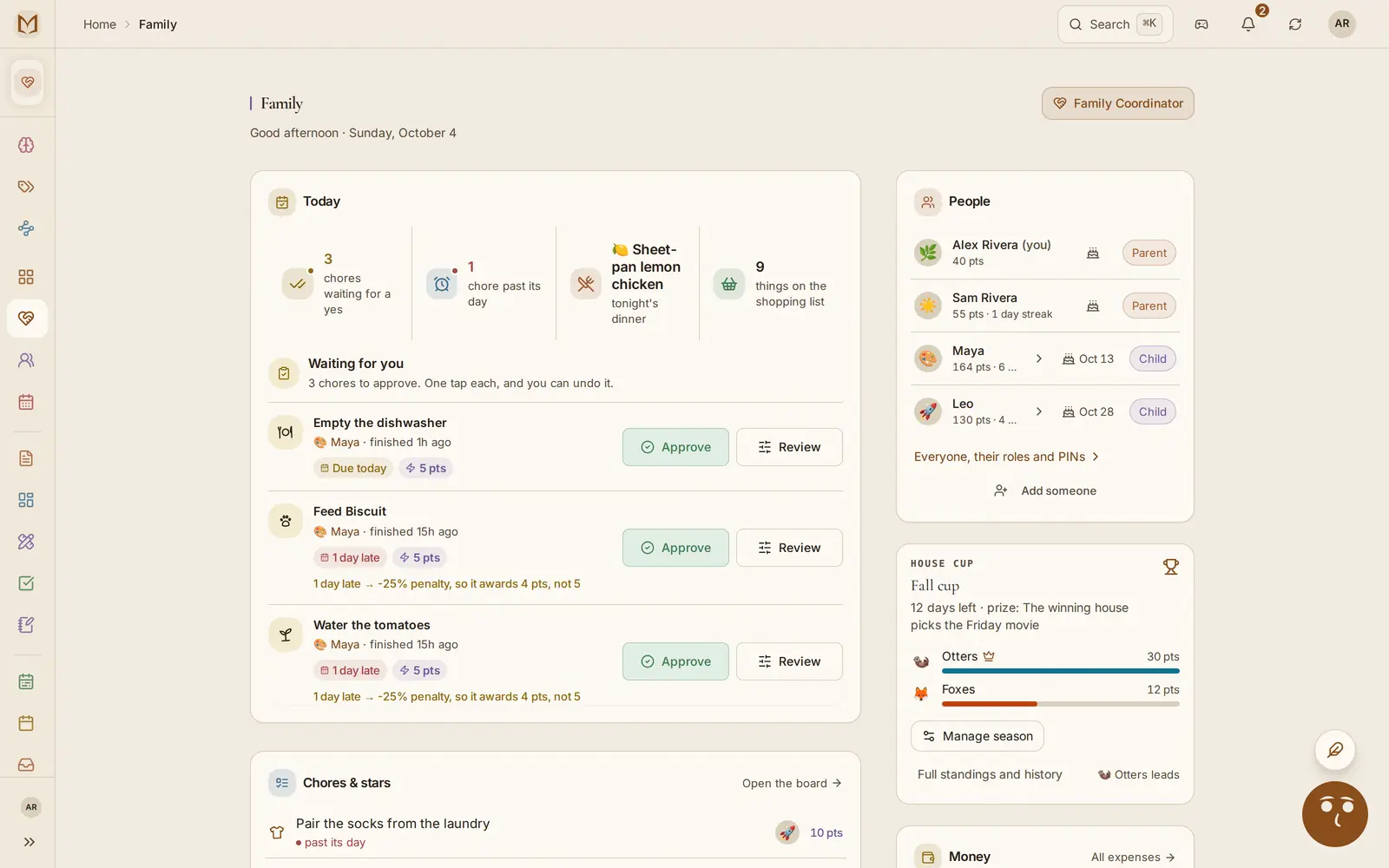
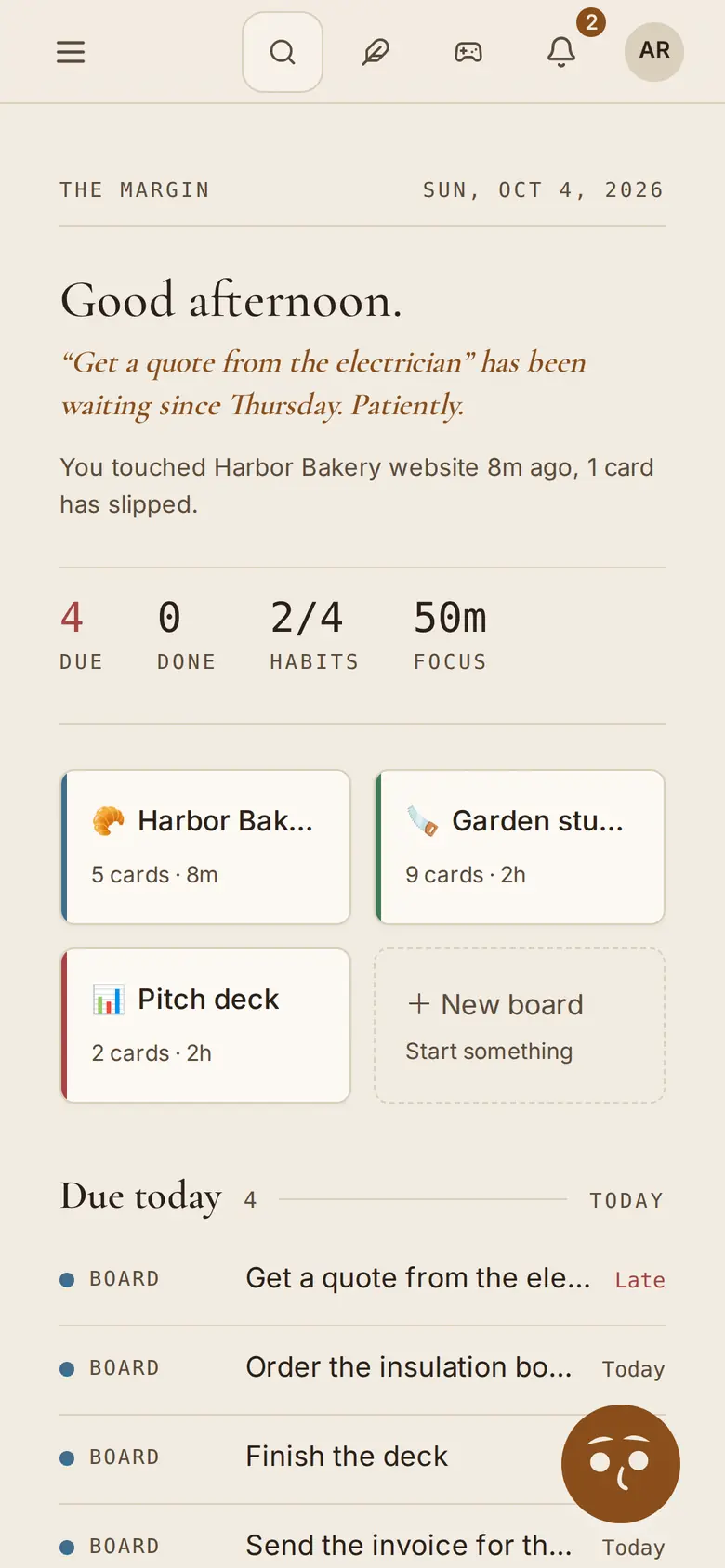
The Daybook: what's due, what slipped and what was written lately. A made-up family in the real app.
the real app, a made-up family
The lineage
The lists people always kept, without copying them out every week
People have run their weeks from paper for a long time: a ledger for money, a journal for the day, tally marks for a habit. The Margin keeps the same lists and does the copying. Recurring cards come back on their own, streaks count themselves, and every device you use has the same page.
Tuesday · week 32, 1924
post the letters
morning run · 12 days
groceries ······· $1.40
read before bed, ½ hour
(copied over from Monday, again)
Then: the same list, written out again every week.
same list, less copying
Today · the recurring ones added for you
Post the letters
done · 9:12 AM · recurring weekly
Morning run
12-day streak · logged at 7:05 AM
Groceries · $86.40
64% of the month's budget · split with M.
Read before bed
34-day streak · reminder at 9:30 PM
Now: the same list, carried forward for you, on every device.
same list, less copying →
What it holds
One app for the week and the homeWhat you can do in it, shown in the real app
Every picture is the real app with a made-up family in it.
Nine parts, one for each job. Every picture is the real app with a made-up family in it: Alex, Sam, their two kids and a dog called Biscuit. The demo and Try it now use the same family, so what you see here is what you get when you try it.
01Plan
Boards, dates and the week they add up to
Cards with due dates, checklists and the people on them, a planner for the week, and Google Calendar both ways. The calendar reads the dates off a school letter you snap. Anything else goes to one inbox: type it, forward an email, or save a web page.
Free: 5 boards
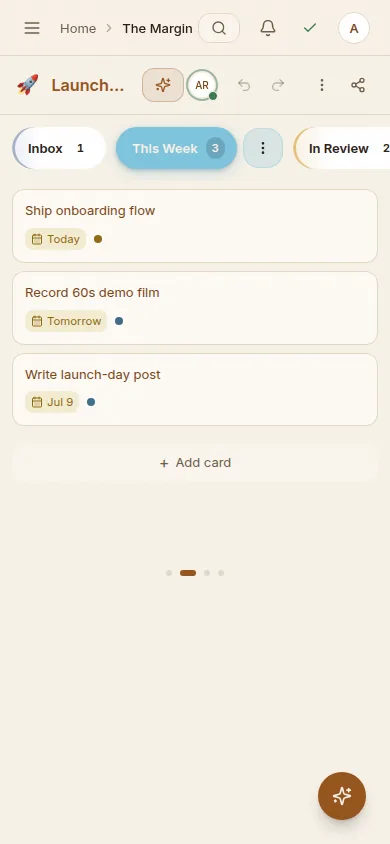
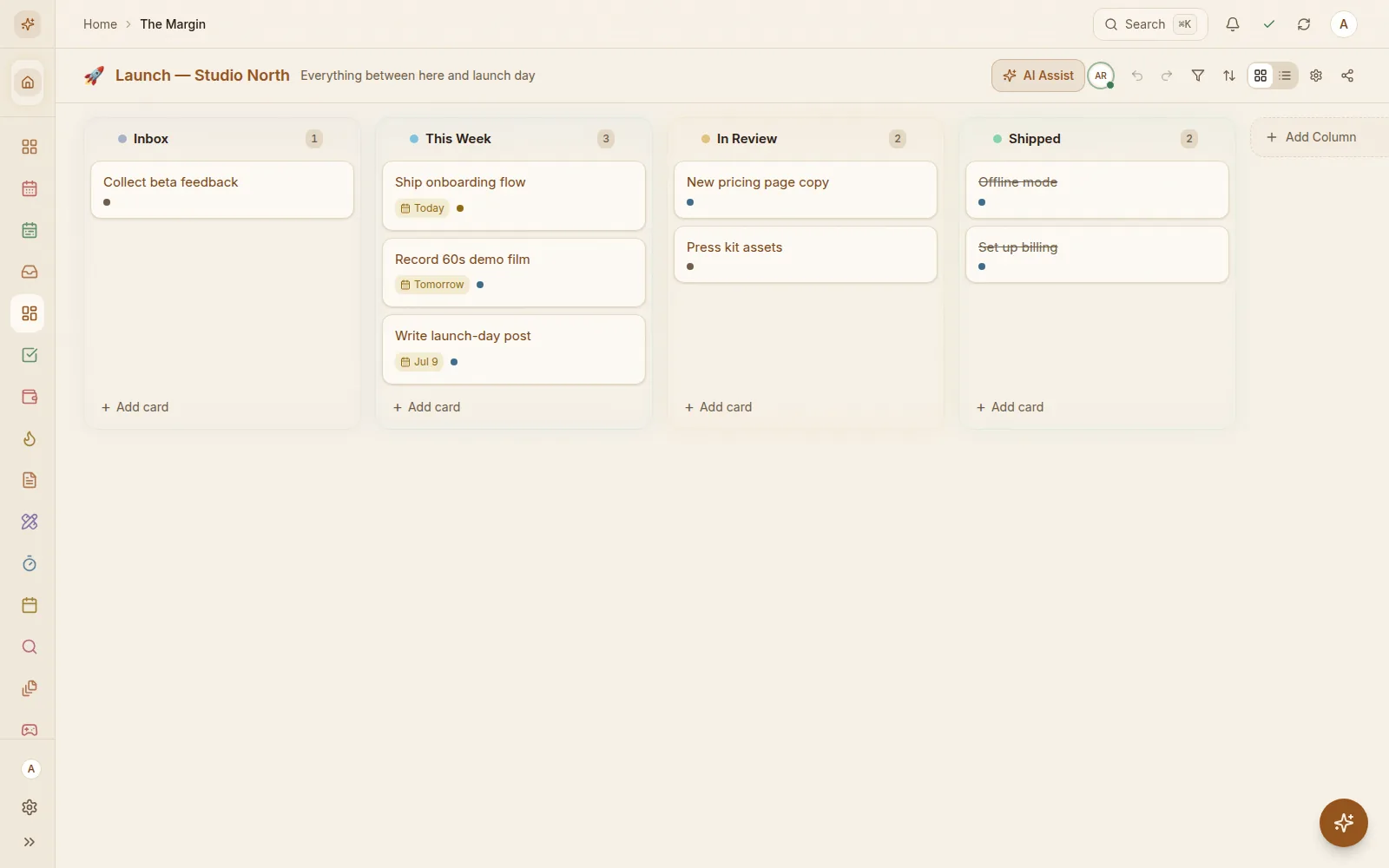
Kanban boards with due dates, labels, checklists, comments and the people on each card. The planner lays the dated cards out by day, and Google Calendar sync runs both ways, so the meeting and the deadline sit on one page.
The calendar colors each event by person, and can pull the dates out of a school letter you photograph or forward.
Share a whole board, or just one note, checklist or whiteboard, and see who else has it open right now.
A household calendar
Recurring cards
Checklists and templates
Habits and streaks
A focus timer on the card you're on
Whiteboards
One inbox: type it, forward an email or save a web page
PlansEvery plan, 5 boards on Free. Google Calendar sync from Pro; one other person on Free; live presence on Family and Team.
themarginapp.com/boards
02Notes
Notes that link to each other
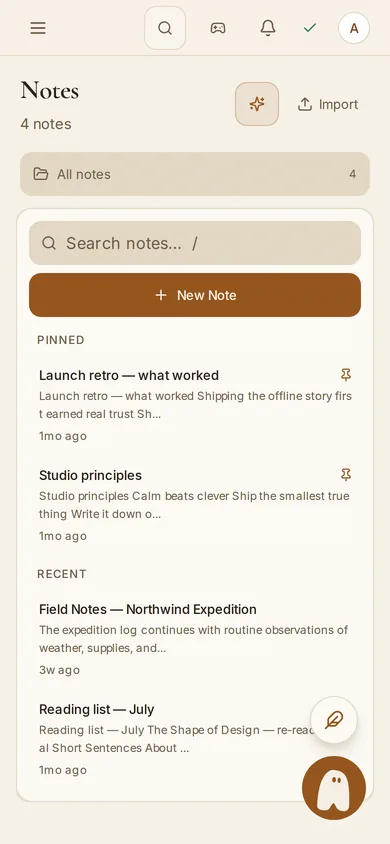
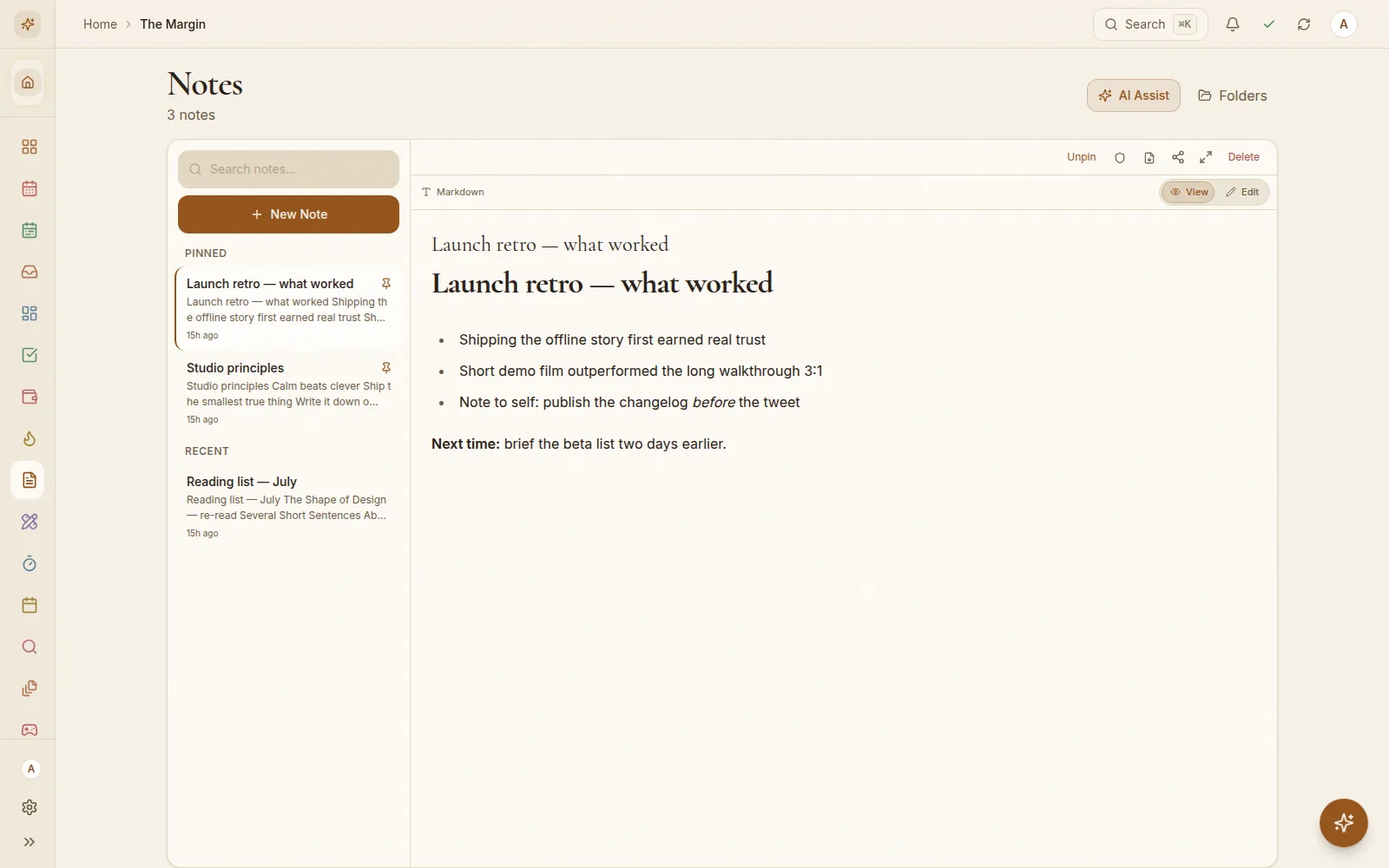
Notes with [[links]], folders and a daily journal. Earlier versions are kept, so you can bring one back.
Free: 100 notes
Markdown that stays markdown. Link one note to another with two square brackets and the other note lists it underneath. Bring a Notion or Obsidian export and the folders come with it.
Anything you seal in the Vault opens with your passphrase. While it is locked, it is hidden on screen, and neither Margin Intelligence nor an AI you connect can read it.
[[Links]] and backlinks
Folders
A daily journal
Bring your Notion, Obsidian, Todoist, Trello or Keep
Earlier versions you can restore
One search for everything
PlansEvery plan, the Vault included. 100 notes on Free.
themarginapp.com/notes
03Money
Money in, money out and money owed
Spending, income and debts in any currency, with budgets from Pro. Lend someone fifty and you both see it until one of you marks it paid and the other confirms.
Every plan; budgets from Pro
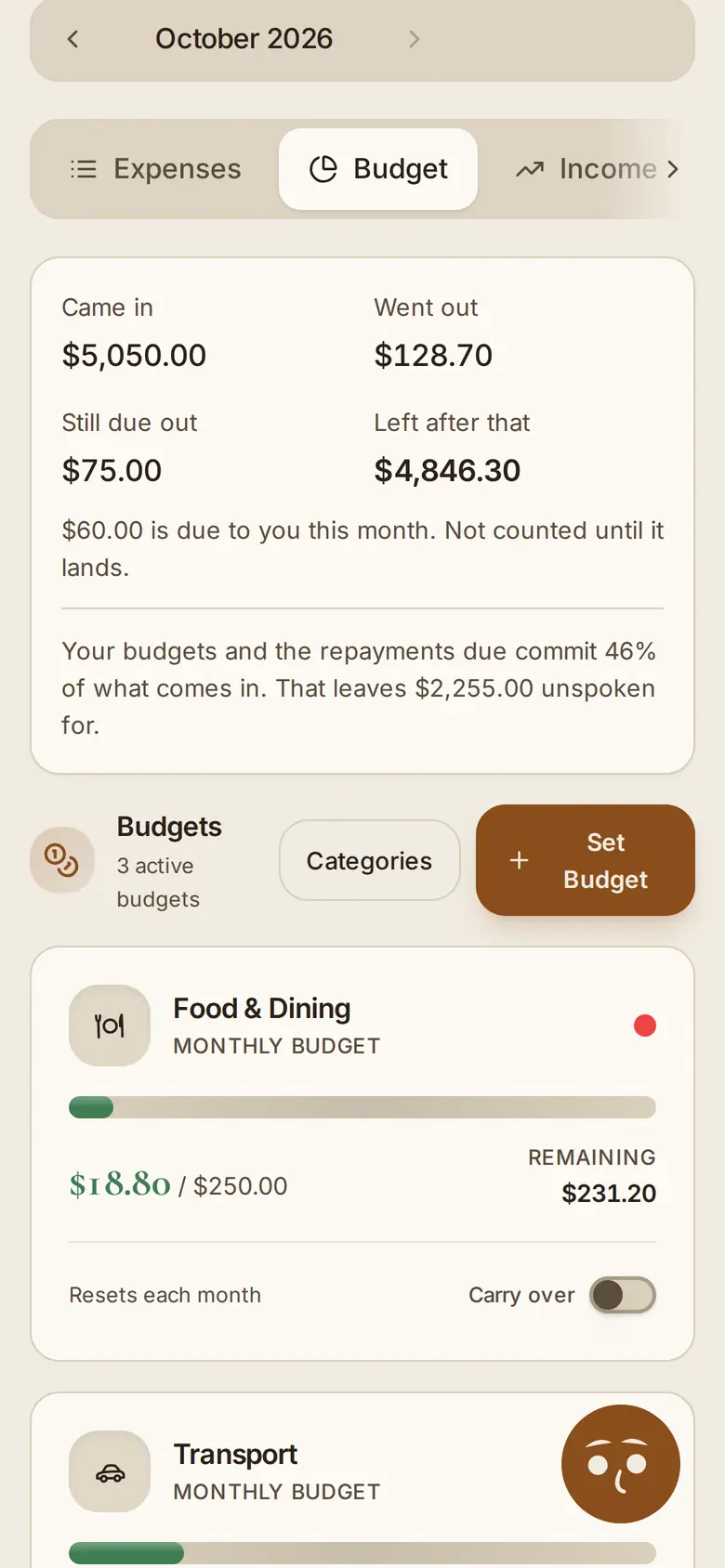
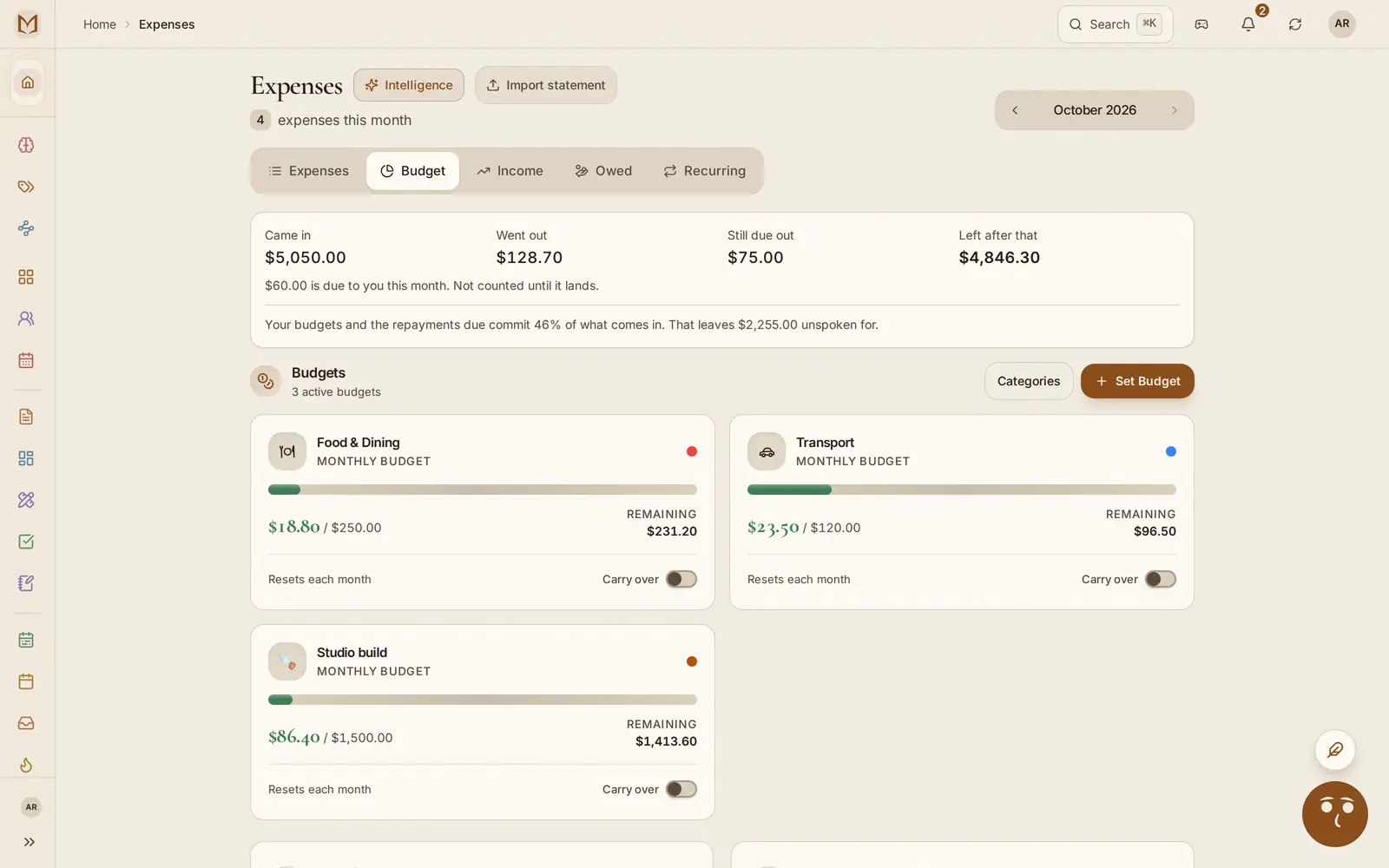
Log what you spend, record what comes in and set budgets. The month view shows what share of a normal month's income the budgets already promise, measured against your usual pay rather than whatever has landed so far.
Lend someone fifty and the debt keeps track of it. If they are on The Margin too, they see it on their side, and when one of you marks it paid, the other confirms it.
Income, including the salary that recurs
Budgets against a normal month
Debts with due dates
Any currency
PlansSpending, income and debts on every plan, Free included. Budgets from Pro.
45% of a normal month, already promised
themarginapp.com/expenses
04Family
Chores, allowance and a house cup the kids care about
Chores take turns, allowances pay out on their day, and kids earn points for rewards you set. Kids get profiles with no email or password. Put a tablet on the kitchen wall and each person taps their own name. Split costs and settle up.
Family plan
Chores rotate between the people on them, and a parent checks them off. Allowance pays out on its day, savings jars fill up, and points go to houses in a cup that runs by the season. Kids can spend points on rewards a parent puts on the shelf.
Children get profiles a parent manages, with no email address and no password. Put a tablet on the kitchen wall and each person taps their own name.
Chores that rotate
Allowances paid on schedule
Savings jars
A rewards shelf for points
Split costs and settle up
A kitchen display mode
Kids' profiles, no email needed
PlansThe Family plan, for up to 6 people. More than 6? Add people for $3 a month each, billed annually.
Maya, six days running
themarginapp.com/family
05Kitchen
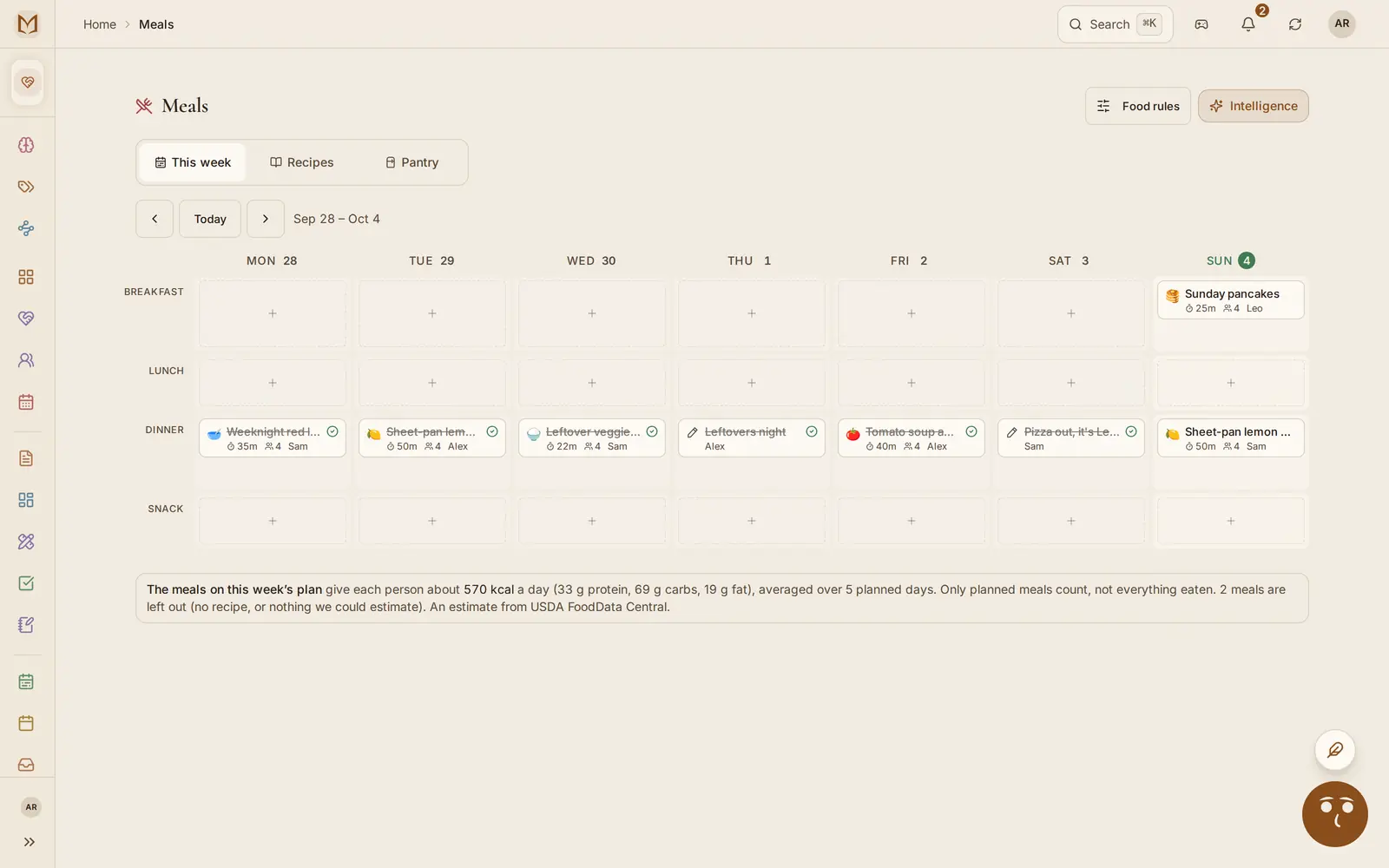
Dinner, the recipes behind it and the list it fills
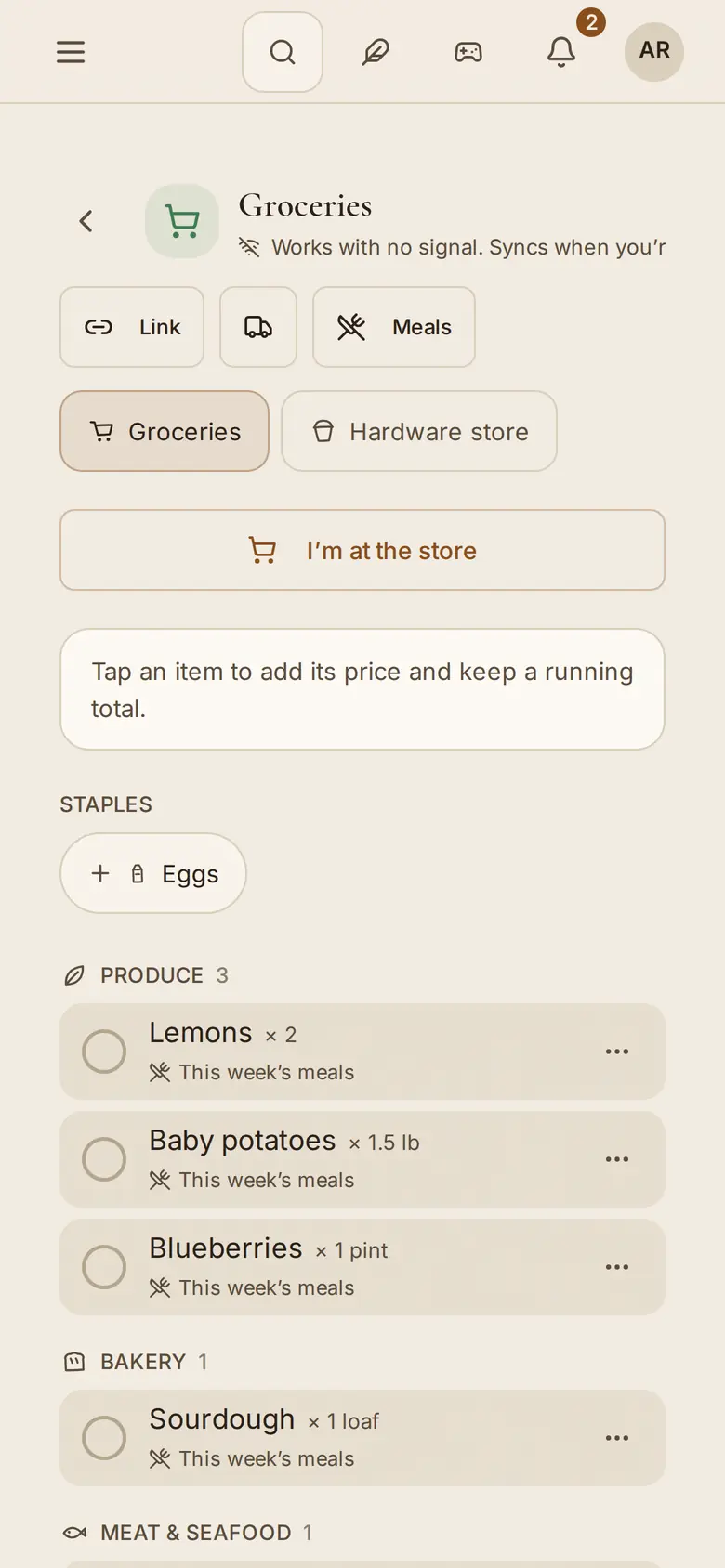
Plan the week's dinners and the ingredients land on the shared list, sorted by aisle. Whoever goes to the store claims the run, so two people don't come home with the same milk. Send the list to someone with no account.
Recipes on Free, meal plan on Family
Keep your recipes, pull one in from a link, and plan the week's dinners with who is cooking each night. The plan puts the ingredients on the shared shopping list.
Whoever goes to the store claims the run, so two people don't come home with the same milk.
Import a recipe from a link
Search a free recipe catalog
Cook mode, step by step
A shared list, sorted by aisle
Send the list to someone with no account
PlansRecipes and a shared shopping list on every plan (25 recipes and 30 list items at a time on Free). The meal plan is on Family.
themarginapp.com/meals
06Chat
Talk to your people where the plans are
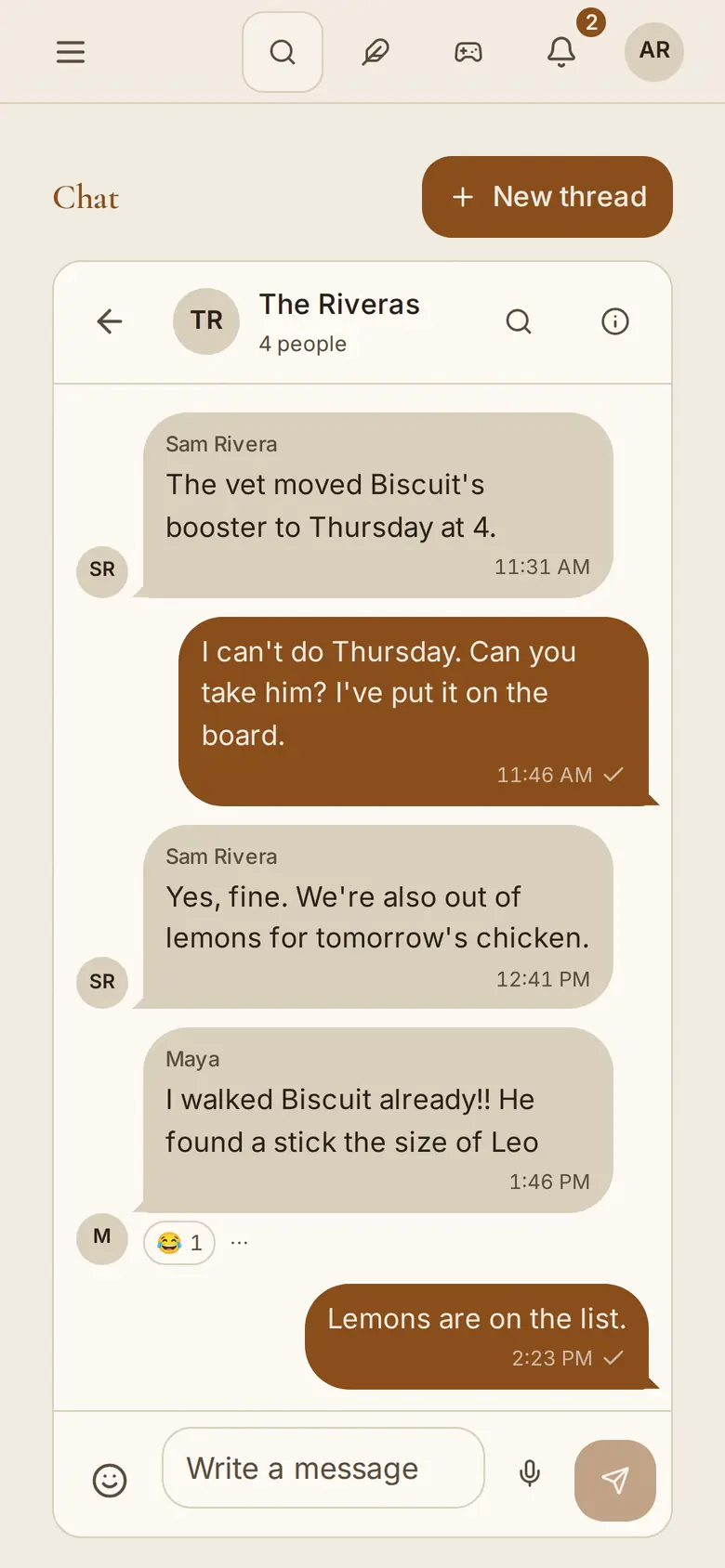
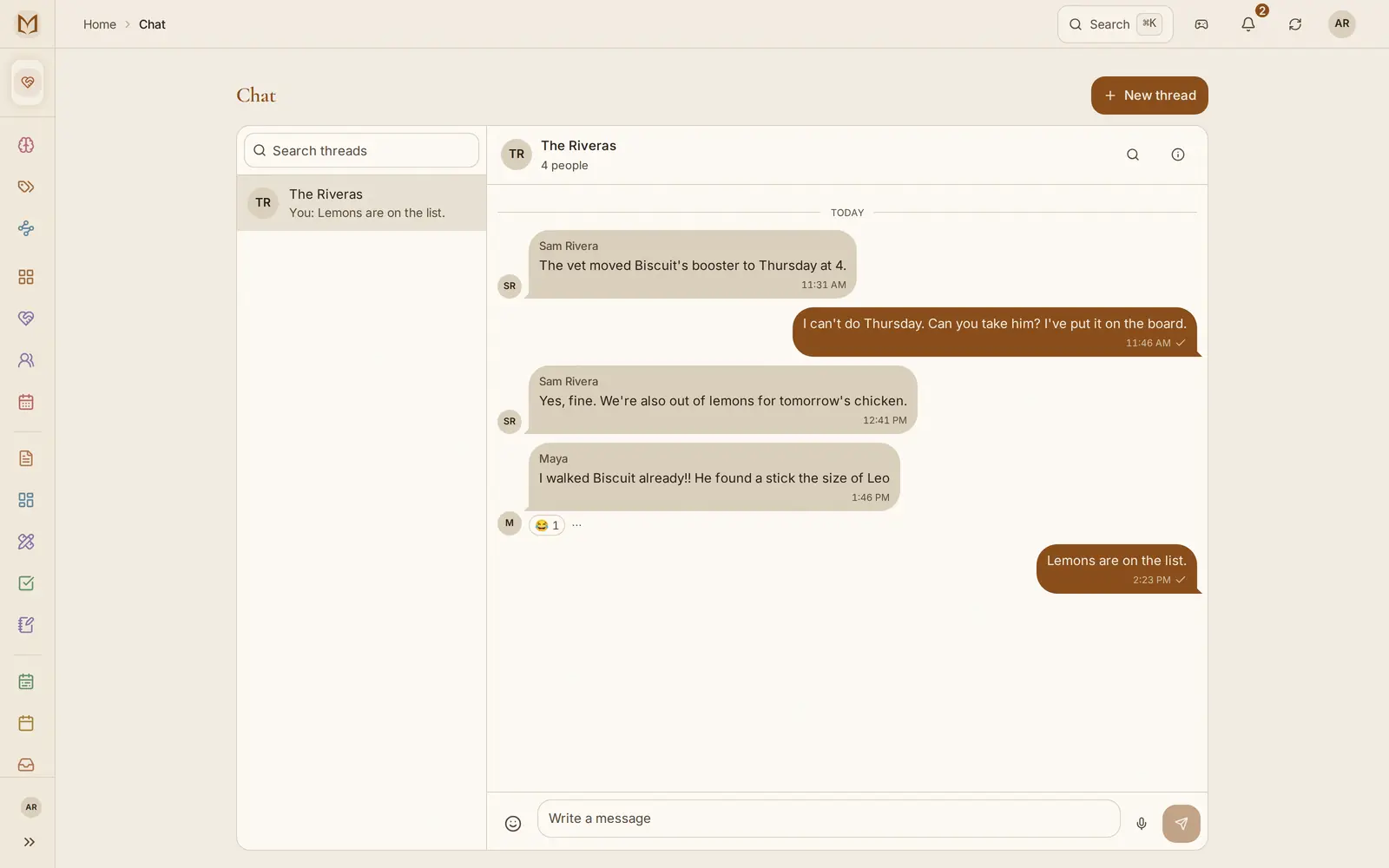
Threads with your family or a friend, with pictures and reactions. Write one on a train with no signal and it sends when you're back.
Every plan
Threads with the family, with a friend you have connected with, or with everyone in a workspace. Messages sync like the rest of the app, so you can write one on a train with no signal and it goes when you are back.
Reactions
Pictures
@mentions
Kids' profiles can join
Works offline
PlansEvery plan
and the lemons went on the list
themarginapp.com/chat
07Teams
A workspace for a small team, with agents on the roster
Shared boards and notes, a view of who is carrying what, and agents that do a job for the team on a schedule, like a Monday summary of every board.
Team plan, per seat
The same boards, notes and chat, shared across a team and billed per seat. The team hub shows who is carrying what, and agents you connect sit on the roster with their own access.
Workload
Access roles
Agent pacts
PlansThe Team plan, billed per seat.
In a team workspace
People
Everyone on the team, their role and what they can open.
Workload
Who has what this week, counted from the cards assigned to them.
Agents
Agents the team makes for itself, like a Monday digest of the boards, listed beside the people.
Pacts
Two or more agents working to rules the server enforces, with the decisions left to a person.
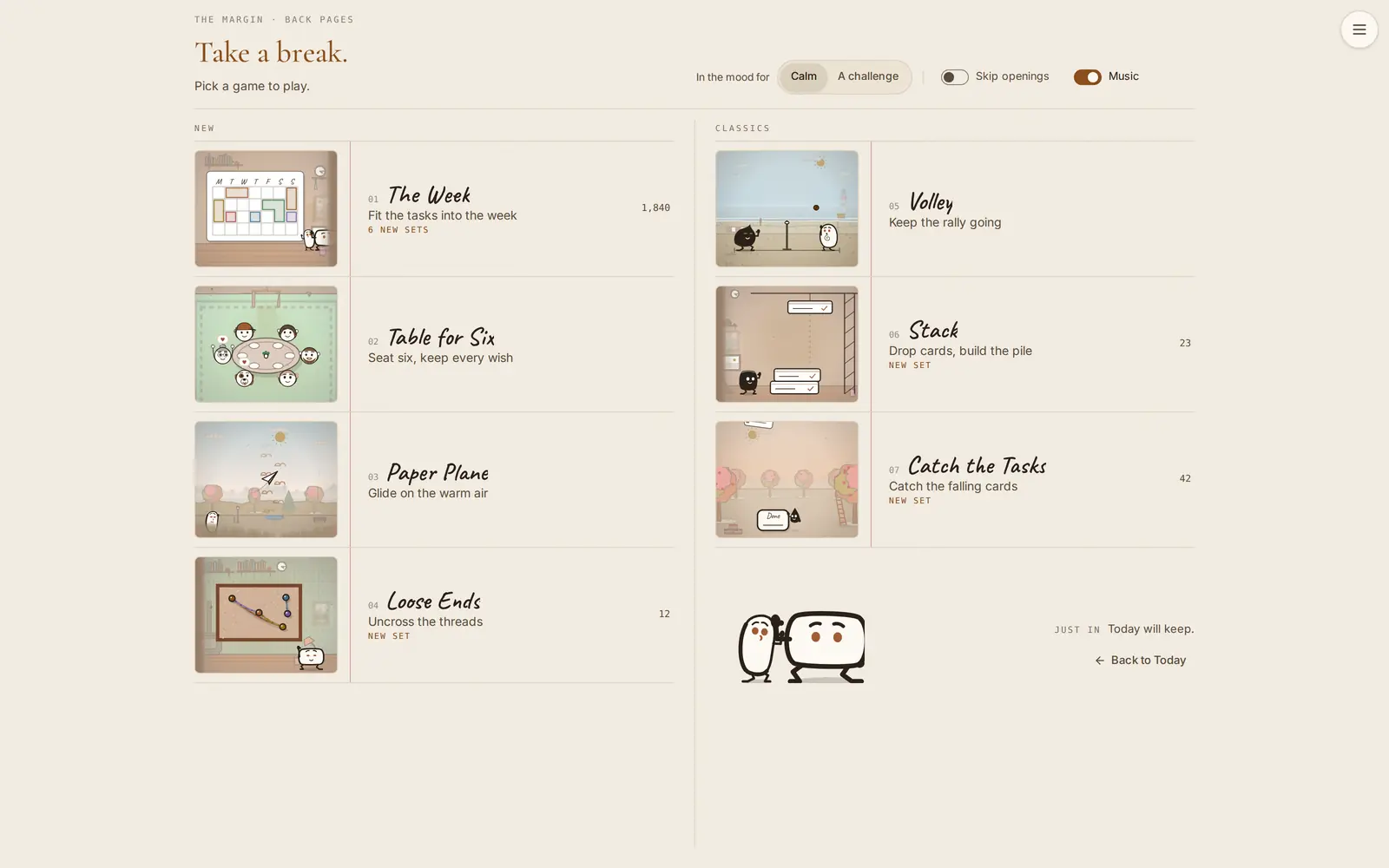
08Break room
Seven small games for the five minutes in between
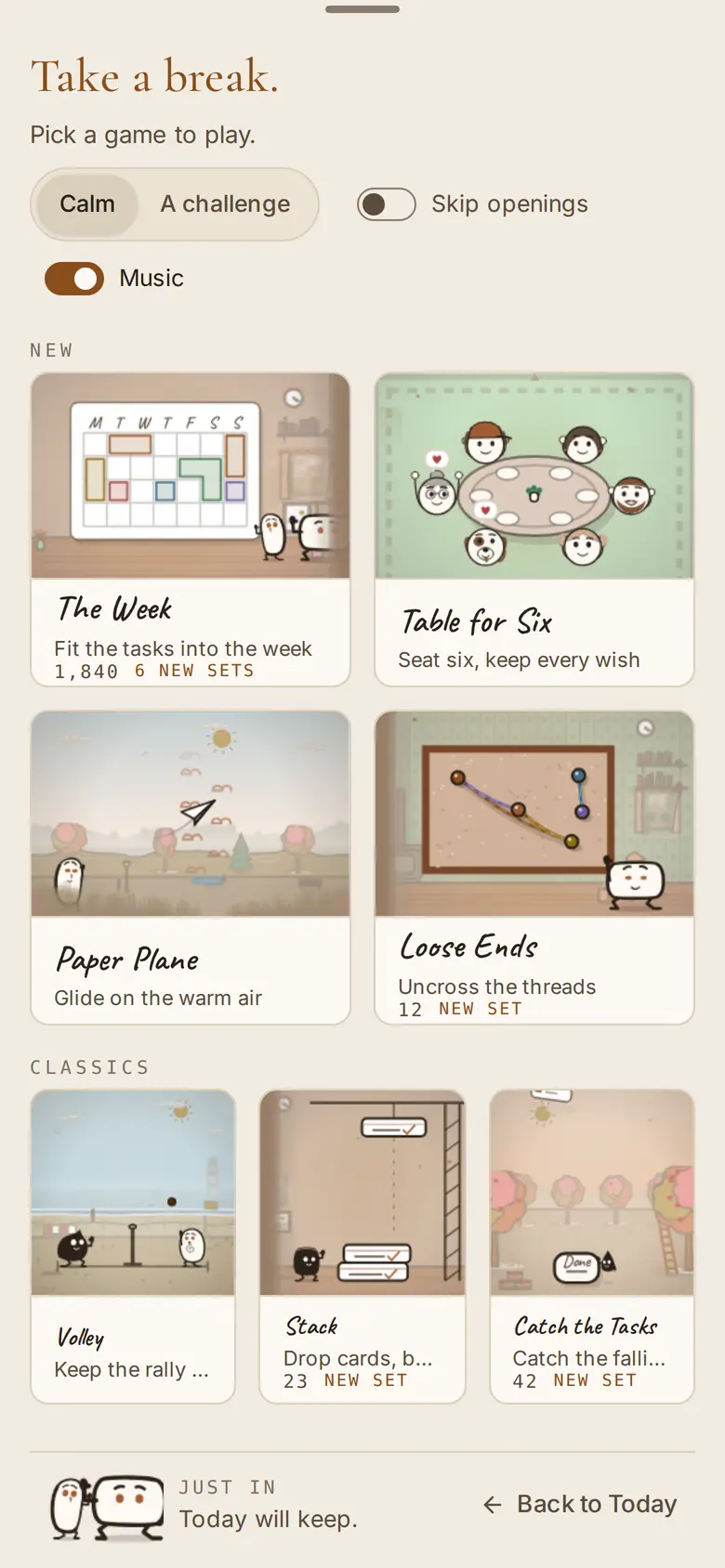
The Week, Table for Six, Paper Plane and Loose Ends, plus three classics rebuilt: Volley, Stack and Catch the Tasks. Play one without a clock, or turn on the timer and the streaks.
Calm or competitive, your pick
Bests follow you to the phone
Mouse, keys or touch
PlansEvery plan
themarginapp.com/game
09Phone
On your phone, signal or not
Open themarginapp.com on any phone and add it to the home screen. It keeps a full copy of your data on the phone, so it opens with no signal and catches up when it has one.
Native apps for iPhone and Android are coming soon to the App Store and Google Play. They are with testers now and share the same account, so nothing moves when you switch.
Installs from the browser
Push notifications
iPhone and Android apps coming soon
PlansEvery plan
Margin IntelligenceThe Mind
The built-in AI, and what it remembersIt connects your notes, cards and people, and asks before it changes anything
Margin Intelligence is the AI in the app. Ask what your week looks like, or “did anyone mention the wedding?”, and it answers from your notes, cards, calendar and money, even when the note never used the word.
It asks before it changes anything.
It knows the Sarah in a note, on a card and in a split dinner is one Sarah.
Lock a note in the Vault and nothing reads it, Margin Intelligence included.
Every fifteen minutes or so, The Margin reads what is new in your notes, cards, calendar, money and recipes. It works out who and what keeps coming up, links the things that belong together, and keeps a short list of what it has learned about you that you can read and correct.
It knows who is who
Mention Sarah in a note, give her a card and split a dinner with her, and the Mind treats that as one Sarah. People lists everyone it has recognized, and you can merge two names for the same person.
It draws the connections
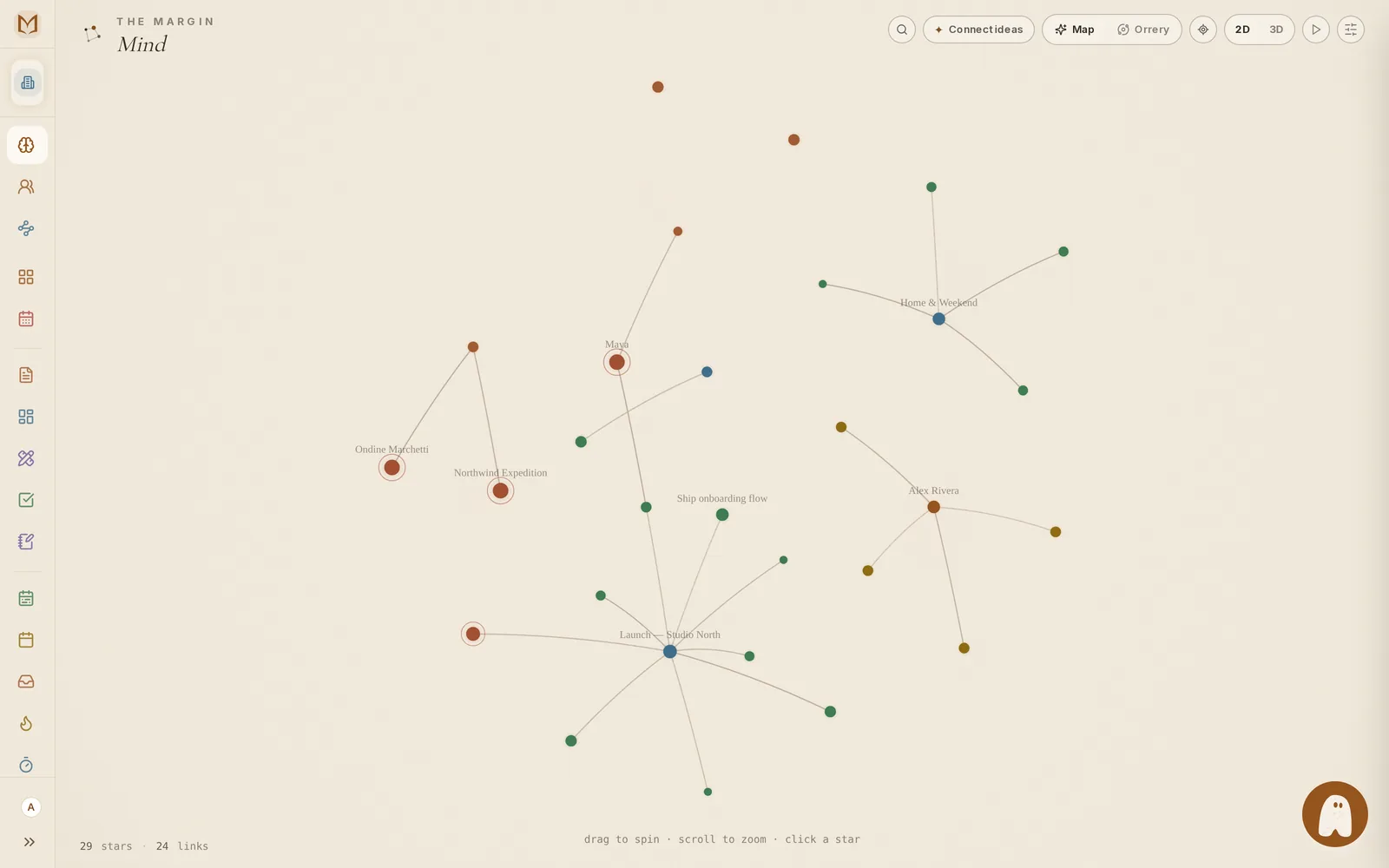
The Mind page shows your people, projects and notes as a map. Type a [[link]] between two notes and the line appears straight away.
Suggestions wait for you
New tags, links and “these two are the same person” go into a review queue on Organize. Nothing applies itself unless you switch that on, and a merge never does.
Margin Intelligence answers from it
Ask “did anyone mention the wedding?” and it finds the note about the ceremony, even though the note never used the word. It only draws on what you yourself can open.
You choose what it sees
Hide a note from memory, or seal it in the Vault with your passphrase. While the Vault is locked, a sealed item is hidden on screen and from Margin Intelligence and any AI you connect. It keeps things out of sight; it is not a lock against people you share the workspace with.
It comes with you
Bring what ChatGPT, Claude or Gemini already know about you, and take everything out again as JSON or Markdown, on every plan, without duplicates when it comes back.
PlansThe Mind, the Vault, the import and the export are on every plan. Its background reading runs on weave credits, a separate allowance from Margin Intelligence's: 25 a month on Free, 150 on Pro. Paid plans also let an agent you connect from outside write to it.
themarginapp.com/mind
yours to edit or delete ↓
What it remembers about you
RoutineReviews the money on Sunday evenings
FactSarah is the design lead on Harbor
PatternTrips start as a whiteboard, then become a board
Settings, Your Brain. Change a line and Margin Intelligence uses the new one.
PlansFree: 75 AI actions a month. One action is about one question or request, and you can top up.
Agents · MCP
Your own AI can read it and write to it
The Margin speaks MCP, with 333 tools across boards, notes, money, habits, meals, recipes, chat and the household. Connect your desktop assistant, your editor or an agent you wrote over OAuth, and it works on the same records you do. Agent pacts let several agents share one job under rules the server enforces. Margin Intelligence, the AI built into the app, uses the same tools. What any of them adds looks like your own work, with one small mark that tells you who asked and through which connection.
It still works offline while an agent is connected. Your device keeps a real database, not a cache, so your own writing never waits for the network. An agent works on the server's copy of the same records, and its changes reach your devices the same way your own edits do. Neither queues behind the other.
your agent, connected to The Margin
you · put the insulation order on the studio board for this week, due today
Works with Cursor, VS Code, Windsurf, n8n, your desktop assistant or an agent you wrote, over OAuth. Access is per workspace and revocable any time.
On your phoneLocal-first
It works with no signal at all
Add themarginapp.com to your home screen. A full copy of your data lives on the phone, so it opens on a train and catches up when the signal is back.
Opens with no signal
Notifications on your phone
Export everything, on any plan
iPhone and Android apps are coming soon.
The Margin keeps a full copy of your workspace in a database on your device, so a page opens without waiting on a server. Lose signal on a train and carry on. What you changed goes up when the signal comes back. Margin Intelligence, connected apps and scanning need a connection.
Your data is on your device first, so opening it never waits for our server.
Changes made offline wait on the device and go up by themselves when there is a signal.
Export everything, any time, on every plan, Free included.
Try it now opens The Margin in your browser with a made-up family already in it: boards, notes, a month of money, chores, dinners and a chat. Change anything you like. What you change is saved in this browser, not on our servers, and it keeps for two days.
If you like what you have made, sign up from inside it and keep the whole workspace.
Coming from another app? Bring your lists from Todoist, Trello or Keep and your notes from Notion or Obsidian. How importing works
The same family on plain pages you can read without clicking anything: the Daybook, a board, a note, the week, money, the family, the kitchen and the break room.
Point any MCP client at this address and it gets its own copy of the household, with the tools working for real. No sign-in. The copy is deleted about an hour after the last call.
https://mcp.themarginapp.com/sandbox/mcp
Craft
8 themes, each with its own typefaces and colors
Some are light and some are dark, and each also sets how things move. This page is wearing Daybreak right now; the moon at the top switches it.
Moonpool
no. 1
Daybreak
default
Shorelight
no. 3
Matinee
no. 4
Atelier
no. 5
Midnight Library
no. 6
Abyssal Calm
no. 7
VOID_SIGNAL
no. 8
the ticked one is on this page
Pricing
Free for two, one price for a household
Boards, notes, habits, money, recipes, chat and the break room are on the free plan, with no end date. Pay when you want Margin Intelligence's full allowance, outside assistants, your whole household, or a team.
Free
Boards, notes, money, recipes and chat, for you and one other person.The core, for you and one other person. Boards, notes, habits, money, recipes and chat, offline.
Room for one other person in your workspace
5 boards, 100 notes, 10 habits
25 recipes, and a shared shopping list of 30 items at a time
75 AI actions a month (one is a typical question or request)
More Margin Intelligence (600 AI actions a month), your own AI over MCP, calendar sync and a morning brief.For one person who wants more from Margin Intelligence and the tools they already use.
600 AI actions a month
150 weave credits a month, for the Mind's background reading
A morning brief of your day
Outside assistants over MCP, memory writes included
Google Calendar and Sheets sync
Webhooks and GitHub (Slack and Zapier apps coming soon)
Everything in Pro for up to 6 people, plus the household: chores, points the kids earn toward rewards, the meal plan and a screen for the kitchen wall.One plan for the whole household, up to 6 people.
Everything in Pro, for everyone in it
Chores, allowance, savings and the house cup
Meal plan that fills the list, kitchen display
Shared boards and notes, live
A morning brief of your day
More than 6? Add people for $4 a month each, billed monthly
More than 6? Add people for $3 a month each, billed annually
Seven small games for a five-minute break, on every plan. 8 themes, light and dark.
Questions
Before you move in
About plans and paying, the pricing page answers more. Anything else, the docs.
What is The Margin, in a sentence?
One app for the lists, notes, money, meals and family plans that usually live in five different ones. It works without a signal, and on a paid plan your own AI can read and write to it.
Can I look around before I sign up?
Yes, two ways. Try it now opens the real app in your browser with a made-up family in it, and the demo shows the same family on read-only pages. Neither needs an account.
Where does my data live?
A full copy sits in a database on each device you use, which is why it opens with no signal. Our server holds the copy that keeps your devices in step, and it is backed up every night. You can export everything on every plan, Free included.
What does Margin Intelligence see?
Margin Intelligence is the AI built into The Margin. It can answer from every workspace you belong to, or only the one you are in: your choice, under Answer from in Settings. It remembers per workspace, and what it reads from another workspace is never saved into memory. It never sees anything in your Vault while it is locked, and AI you connect never sees the Vault at all. Facts about you are kept in About you, which only you can see; in a shared workspace a remembered fact can be changed by whoever taught it or an admin.
Which AI tools can connect to it?
Any client that speaks MCP, over OAuth: a desktop assistant, an editor like Cursor or VS Code, n8n, or an agent you wrote. Access is per workspace and you can revoke it at any time. Connecting your own is on Pro, Family and Team; Margin Intelligence, the AI built in, is on every plan.
Is there a phone app?
Open themarginapp.com on your phone and add it to the home screen: it installs from the browser, works offline and sends notifications. Native apps for iPhone and Android are coming soon to the App Store and Google Play, and are with testers now.
Is it for a family or for a team?
Either, or both. A personal workspace, a family one and a team one are kept apart, and one account moves between them. The Family and Team plans each add what that side needs.