The shopping list
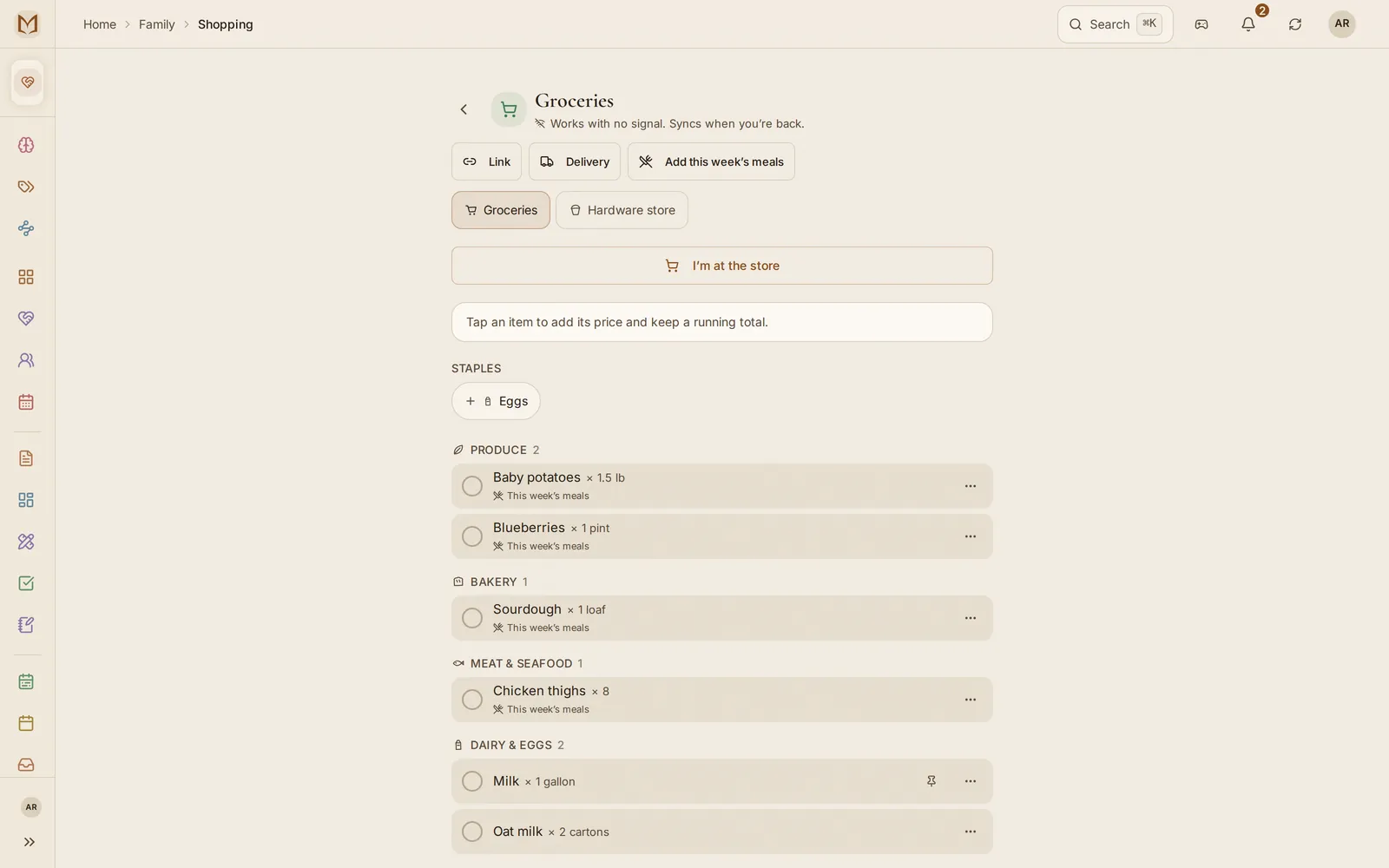
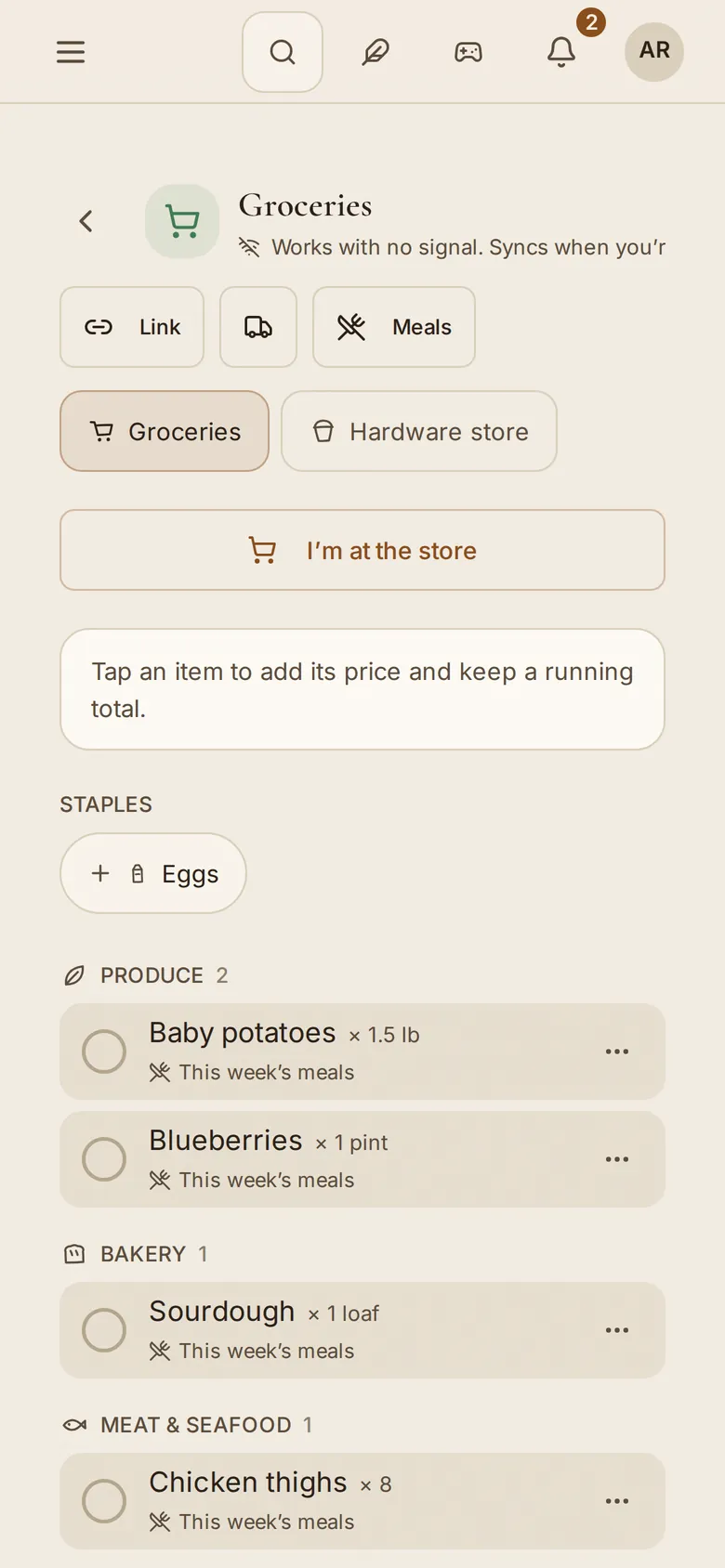
One list the household shares, sorted by aisle, that works in a supermarket basement with no signal and tells everyone when somebody is already at the store.
Checked against the running product on 11 min readMarkdown
On this page
The shopping list gets used in the worst signal of anything in the app: a parent, a cart, a supermarket basement, one bar. It is built for that moment.
Every workspace has one, on every plan. Open Shopping in the sidebar (on the phone, from the contents list), The list on the family hub's Meals & shopping card, or type "Shopping list" into the command palette. The first time, Start your grocery list makes the list. In your own workspace you share it with the one other person you invited.
Adding things#
Type the item and press enter. As you type, the aisle it belongs in appears as a
chip you can tap to change. Put the amount in with the name if that is quicker:
milk x2, 2x bread, 3 avocados or 2 kg flour fill the quantity for you,
shown as a chip you can remove. 2% milk stays milk.
A whole list can come in at once from capture. Type or say "milk eggs bread butter" or "a dozen eggs, 2 cans tomatoes and peanut butter" into capture and it shows as separate items before you save, and one tap on the add button under them puts each one on the list as its own line, amount included. See A list stays a list.
If this workspace's list can't take them (it is full on Free) and another of your workspaces can, capture and voice offer that one by name, "Add 4 to Groceries in Rivera Family", and the items go there. The line that confirms it, on the web and the phone, has an Open link that switches to that workspace and shows the list.
Items are grouped into 13 aisles, and the aisles run in the order you walk a store: Produce, Bakery, Meat & Seafood, Dairy & Eggs, Pantry, Snacks, Drinks, Frozen, Household, Personal Care, Baby, Pets, and Other last. Reading the list top to bottom is the route.
The aisle guess comes from a plain list of keywords, with no network call, so it works in airplane mode. Longer phrases win over single words, which is why "ice cream" lands in Frozen and not in Dairy. An item it does not recognize gets no aisle and sits under Other, because a wrong guess saved to the list is harder to spot than a blank one.
Margin Intelligence can add to the list too, and so can any assistant you have connected. Its items look like anyone else's, with one small mark beside them. Hover over it, or tap it on a phone, to see who asked and through which connection: "Added by Alex through" and the name you gave that connection. It reads offline like the rest of the list.
Adding by voice from Siri, Google Assistant or Alexa ("add milk to the shopping list") is built and still being set up, so it is not on your phone or speaker yet. On Pro, Family and Team, Zapier, Make and n8n can add items today. See Voice and Integrations.
When something new arrives#
A row that turns up while the list is open grows into its place in line, and the rows below it move down to make room. That covers an item your partner adds from another phone, the ingredients a planned dinner drops in, and anything an assistant adds. Several at once step in a moment apart, so six ingredients read as six rows joining rather than the page jumping.
Opening the list never animates, and neither does the first sync on a new device: those rows were already yours. With reduced motion turned on, new rows appear in place with no movement.
Each aisle heading carries a small drawn mark (a leaf for Produce, a loaf for Bakery, a snowflake for Frozen) in your theme's ink.
At the store#
- Tap I'm at the store. Everyone else sees your name and that you are there, which saves the second trip and the duplicate milk.
- Tap each thing as it goes in the cart. The whole row is the target, sized for a thumb, and the list records who checked it off and when.
- Checked items collect under In the cart, with a count.
- Tap Finish run. Type what you spent if you want it logged to Expenses and press Log & finish, or leave the amount blank and finish. Either way the run ends and the checked items clear.
Prices and a running total#
Tap an item and give it a price, what you expect that line to cost as written ("2 packs" means both packs). Prices are in the workspace's own currency. As soon as one item has a price, a line above the list shows the running total and what is already in the cart, and says how many items have no price yet, so the figure never pretends they were free.
When the checked items carry prices, Finish run offers their sum as the amount. The receipt is still the truth, so change it if the register said otherwise. In a household, Finish also asks Who paid?, even before there is an amount. Pick the person whose card it was. Once an amount is in, Split it? appears: split equally with everyone or leave it Not split. A split is the same one the Expenses page makes, and it shows up under Balances. Changed your mind about going? Use Not going instead; it ends your trip without logging a run.
Clear checked empties the cart at any time without ending a run.
Not going after all? Tap Not going on your own banner. The run is released and nobody is shown at the store. If someone else is out and you are taking over, tap Take over.
Undoing a mistap#
Claiming the run, taking it over, letting it go, checking off an item, removing one and clearing the cart each show a short message with Undo. Undo puts the list back exactly as it was. An undone claim leaves no name on the banner and no "claimed a minute ago", and an undone check goes back to whoever checked it before, at the same time. It works with no signal, like everything else here.
Undo does nothing if someone has changed the same thing since. If a partner took over the run after your mistap, Undo leaves their claim alone and says so. Once the message is gone, the banner's Not going still releases your claim.
Staples#
Mark the things you buy every week with Make a staple on the row. A staple you check during a shop goes in the cart like anything else. When the shop ends, with Clear checked or Finish run, a staple is never deleted. It parks with the usual things, and one tap puts it back on.
Staples are counted on their own. The household page, the dashboard and the wall show how many things there are to buy, and the staples still on the list as a separate number, so a list with conditioner and five staples reads "1 thing to buy, plus 5 staples" rather than six.
Items from the meal plan#
Add this week's meals puts the ingredients of the week's planned meals on the list. Each one names the meal it is for ("for Sheet-pan lemon chicken"), so you can tell what the plan added from what people typed. When two meals need the same thing it shows once, with the amounts added up, and names both ("for Stir-fry and Curry"). Checking it off checks it for both. See Recipes and the meal plan.
Press it again and the amounts are topped up to what the week now needs. If you doubled Thursday's dinner, the 8 chicken thighs the plan put there become 16, and the message says which amounts went up. Nothing is ever lowered, and a press with nothing changed adds nothing.
A line you typed or edited yourself is never overwritten, and neither is one you already checked off. What it holds still counts, and anything the plan needs beyond it goes on as its own line, marked "Top-up for the meal plan". When the two amounts are in different units ("2" and "500 g"), both lines stay so you can decide in the store. Singular and plural count as one unit, so "1 can" on the list and "3 cans" in the plan become one line of 3 cans.
The same rule runs when a planned meal adds itself to the list, and when you press Add to the shopping list on a recipe page: amounts go up, nothing you wrote is overwritten, and a second press with nothing changed adds nothing.
The household can also have planned meals add themselves to the list, from Family settings→Meals.
With no signal#
Adding, checking off, editing, claiming the run and finishing it all work with no connection. They write to the database on your phone and sync when signal returns, so there is never a spinner to wait on.
Shopping with no bars
- Open the list before you lose signal, or any time after: it is already on your phone, so it opens in a basement aisle too.
- Tap each thing as it goes in the cart. It moves to In the cart straight away, with nothing to wait for.
- Keep going: add, edit and check off as usual.
- When you are back online the changes sync on their own, and everyone at home sees what you bought.
Send the list to a delivery app#
On a laptop, press Delivery beside the list's name. On the phone, open This list and choose Send to a delivery app.
- Copy the list (or Share it) as plain text, grouped by aisle, with only what is still to get. Paste it into Instacart, Walmart, Kroger or any other app's search, or into a message.
- Find each item at Instacart, Walmart or Kroger turns every line into a link to that store's own search, one tap per item.
The Margin does not fill a delivery cart for you. Each of those stores only
lets an app add to your cart under a partner agreement, and we would rather say
so than pretend. Margin Intelligence and connected assistants can hand over the
same list with export_shopping_list.
To show the list to someone who is not on The Margin, press Link beside the list's name for a view-only link. See Sharing and permissions.
Store reminders (phone app)#
The phone app can remind you of the list when you walk into a store. Open This list, choose Remind me near a store, switch it on, and add a store where you are standing or by its address. When you next arrive, the phone shows "You're near Trader Joe's: 6 things on Groceries: milk, eggs, bread and 3 more."
- It needs location set to Always (iPhone) or Allow all the time (Android), asked only when you switch it on, because the phone has to notice the store while the app is closed.
- Everything stays on the phone. Your stores and your location are never sent to The Margin, and the reminder is built from the list the phone already holds.
- One reminder per store every two hours, and none when the list is empty.
A browser cannot watch for a place in the background, so this lives only in the phone app. On the web and the installed web app, the list is the same list.
What it does not do yet#
There is no list import yet. Coming from Cozi, paste the list into the chat and ask Margin Intelligence to add it; The Margin as a Cozi alternative covers the rest of the move.
Availability#
The shopping list is on every plan. Free keeps one list with up to 30 items on it at a time; ticked-off items don't count, so finishing a run makes room. Near the limit the add field says how many items are on the list before you type, and at 30 it says so instead of taking a letter it can't keep. Pro, Family and Team have no limit and as many lists as you like. Pulling in the week's meals needs the meal plan, which is Family. See Plans and limits.